
Lenovo T430 Thinkpad Modding
This page demonstrates my experience refurbishing and modding a Lenovo ThinkPad T430 laptop. It is NOT a guide. Please do your own research before attempting anything shown here. I have provided some useful links at the bottom of the page that may help.
My inspiration to mod an old ThinkPad started when my gaming laptop's CPU began to fail. The only fix was an expensive CPU reballing service, which isn't offered anywhere near where I live. This got me thinking about laptop repairability, and I eventually stumbled upon videos of people tinkering with old ThinkPads due to their modular design compared to most modern laptops. I wanted a machine I could use for daily admin tasks, watching YouTube videos, and learning programming, so I decided to try this myself and bought an old T430 from eBay. I chose the T430 because it was inexpensive, features an easily replaceable (socketed) CPU, and has extensive online resources for modding.
When I got the laptop, I began by cleaning the T430 and removing the adhesive stickers from its case.
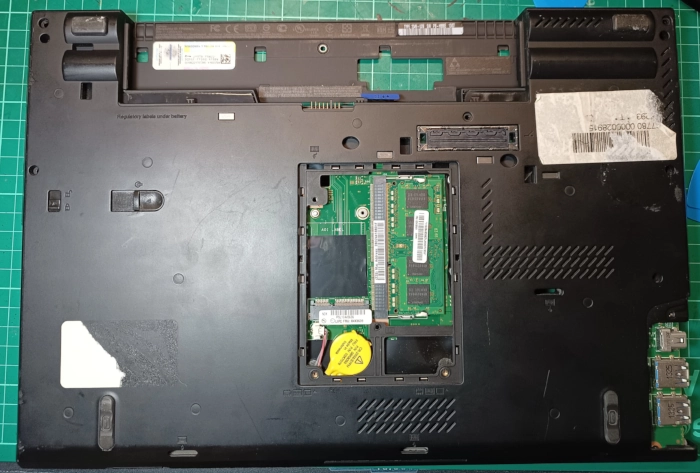
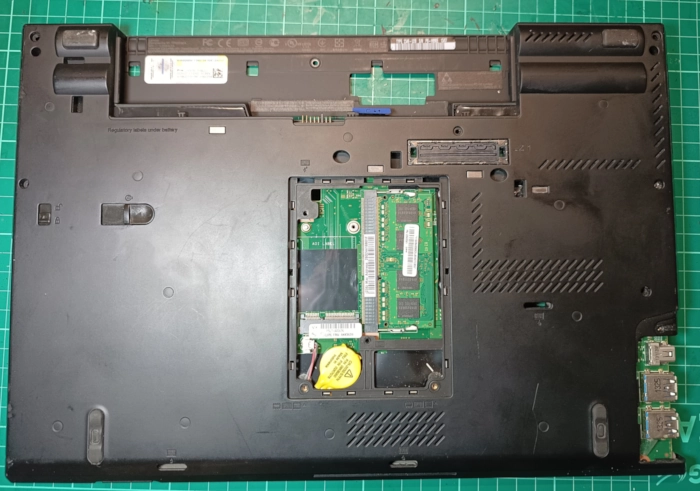
My plan was to upgrade the T430 with new components like a better Wi-Fi adapter, a third-party battery, and the T420 keyboard mod. My first hurdle was removing the supervisor password that the laptop came with. As the password was unknown to me, I had to use a trick where you short two pins on the motherboard whilst the computer starts up (this video explains it: Supervisor Password Removal Video). Once I was in the BIOS, I could remove the password, enabling me to perform the required firmware mods for my planned upgrades.
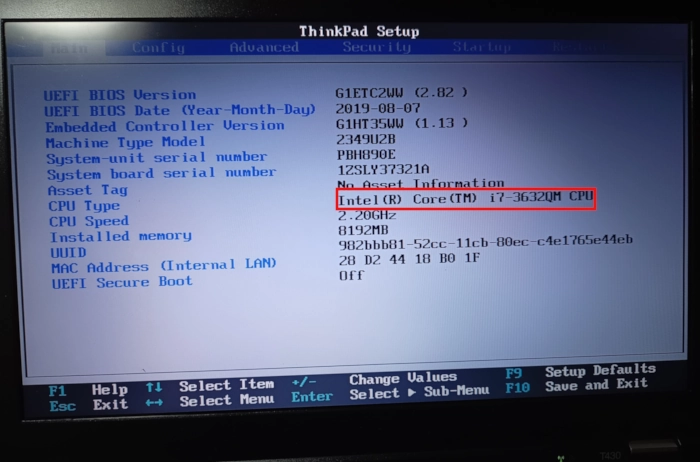
The picture below shows the BIOS and embedded controller versions that the laptop came with. I needed to upgrade to BIOS version 2.64 and EC 1.13, as this was a requirement for a software-based jailbreak called 1vyrain. I did this by using another tool called IVprep (read more here: IVprep GitHub).
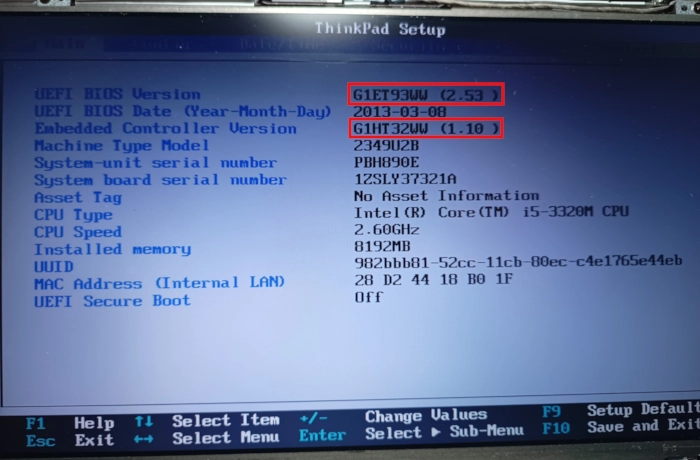
This jailbreak creates a custom BIOS version that allows for more tinkering and, most importantly for me, removes the whitelist of WLAN/WWAN adapters, allowing me to upgrade to a faster Wi-Fi card.
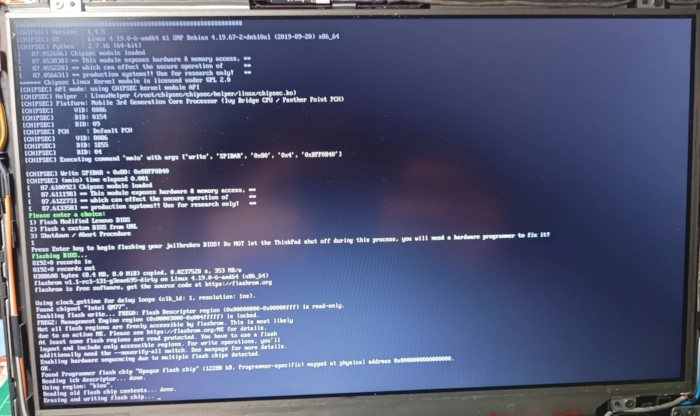
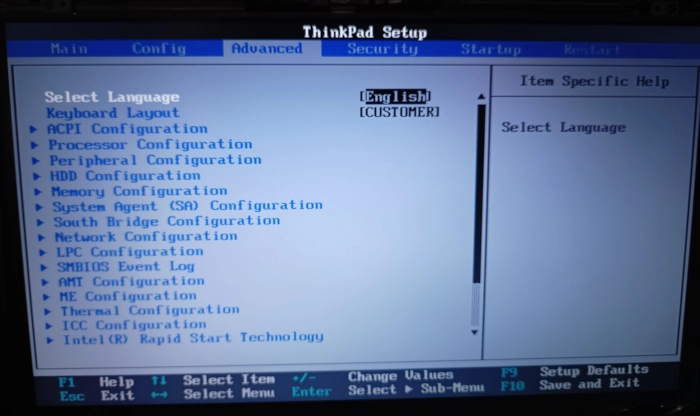
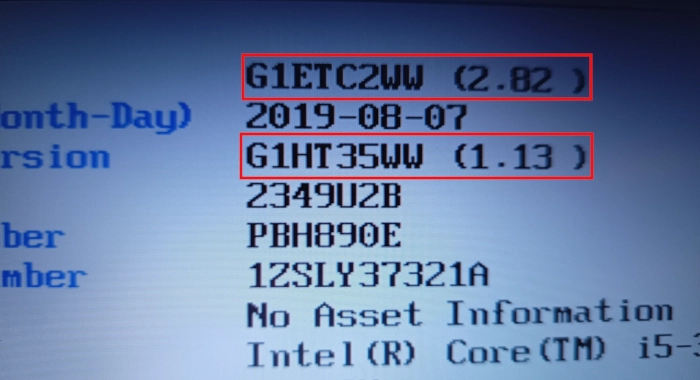
Next, I needed to flash the Embedded Controller (EC) to remove the battery whitelist and use the T420 keyboard. To do this, you can use software called thinkpad-ec. This is the stage where I encountered an issue. I had just completed the 1vyrain patch, which upgrades the BIOS to a modded version of 2.82; this version is incompatible with the EC flash software. To fix this, I used IVprep again to reset the BIOS back to 2.64, enabling me to perform the thinkpad-ec flash before re-applying the 1vyrain patch.
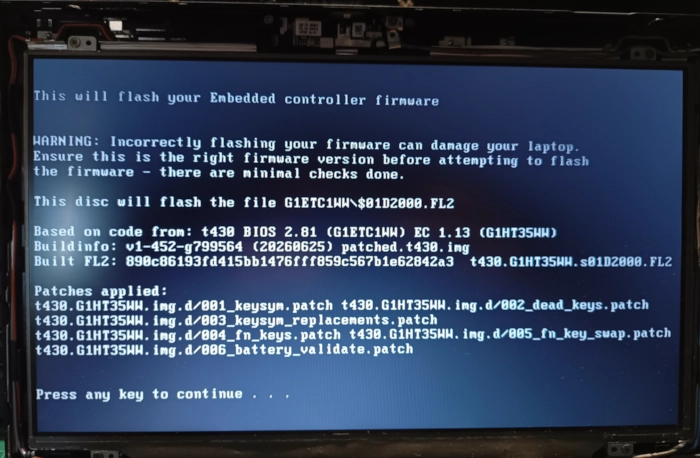
After the thinkpad-ec flash and 1vyrain BIOS upgrade, I was ready for my planned hardware mods.
First, I tested the third-party battery I bought (Lenovo 0A36302 10.8V 4400mAh from CELLONIC). It worked without any issues thanks to the EC flash.
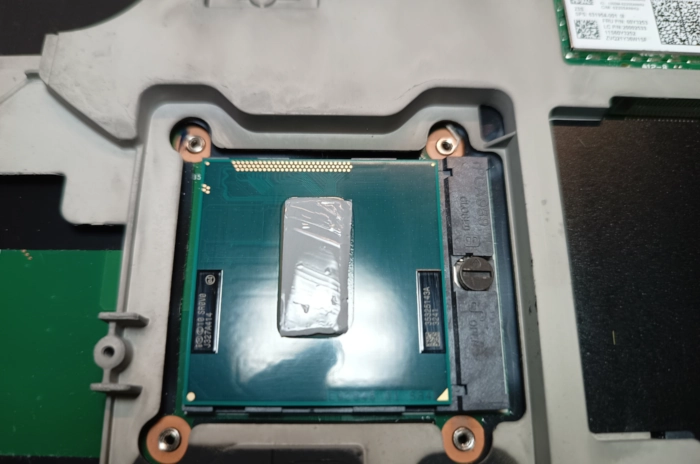
Next, I upgraded the CPU from a Core i5-3320M to a Core i7-3632QM. I disassembled the T430, removed the heatsink and old CPU, and installed the i7. I decided to use a Honeywell PTM 7950 thermal pad, as I had only ever used thermal paste and wanted to try something different (plus, I saw recommendations for it on the forums).
My next upgrade was replacing the Intel Centrino Advanced-N 6205 Wi-Fi card with the MPE AX3000H card. This provides Wi-Fi 6 compatibility, Bluetooth 5, and significantly higher speeds. This upgrade worked without issues due to the earlier EC flash.
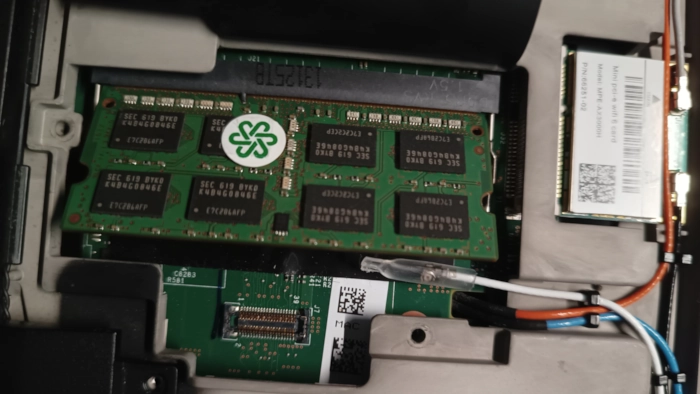
After this, I upgraded from 8GB of DDR3 RAM to 16GB of DDR3L RAM. I chose DDR3L because it uses less power than standard DDR3 while maintaining the same performance. This was recommended in the definitive T430 modding guide by n4ru, which was one of my main sources of information. Link to the guide: T430 modding guide
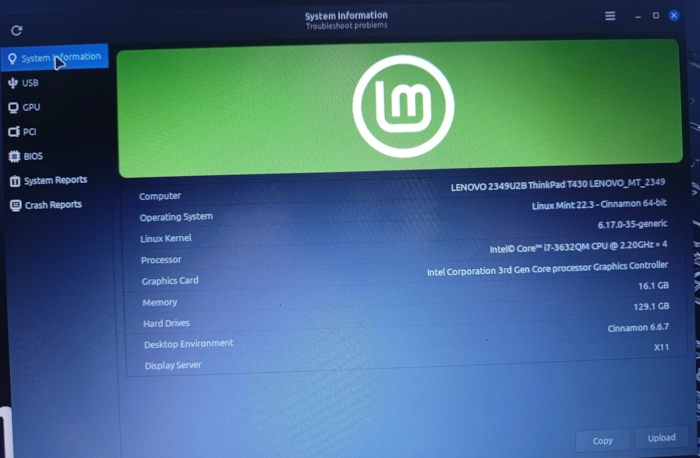
Next, I changed my operating system from Windows 10 to Linux Mint.
The final hardware upgrades that I have done so far were replacing the trackpad sticker and installing the T420 keyboard.
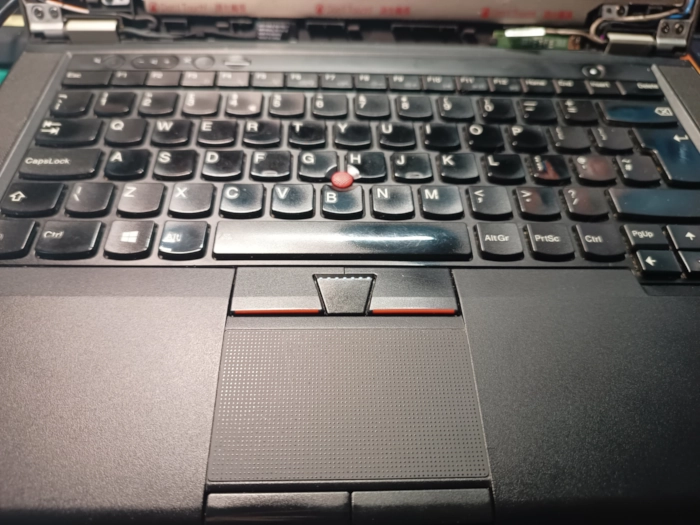
Finding a genuine UK version of the T420 keyboard on eBay was harder than expected. I tried two cheap replacement keyboards, but both had to be returned due to poor quality. I do not recommend anything other than genuine Lenovo keyboards. I eventually settled for a US layout, as it was the only genuine option reasonably priced at the time.
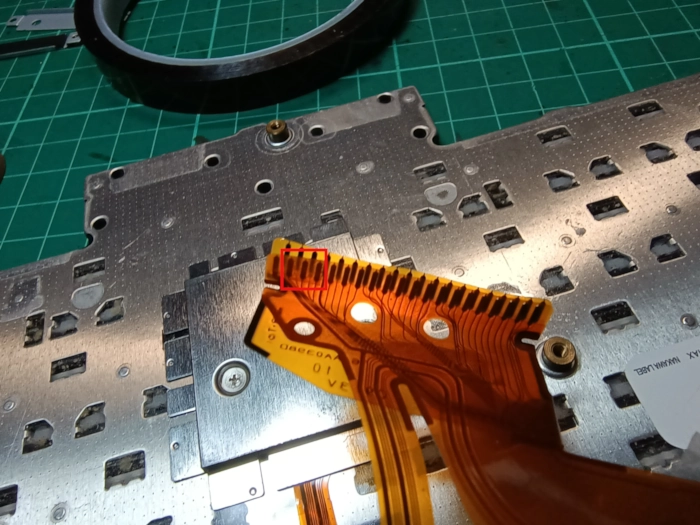
The first step of this upgrade was taping off three of the contacts on the T420 keyboard's ribbon cable. This prevents the contacts from shorting out due to slight differences in the wiring layout between the two models, which could otherwise cause electrical conflicts or damage.
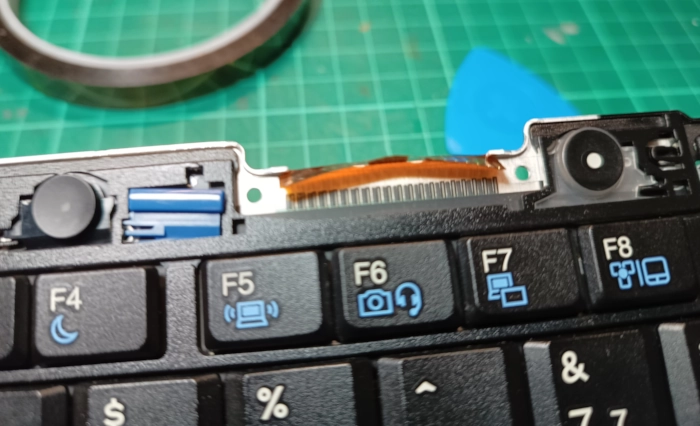
To get the T420 keyboard to fit better in the T430, I used my Dremel to sand down some of the keyboard clips. You can read more about the process here: Keyboard Mod Guide
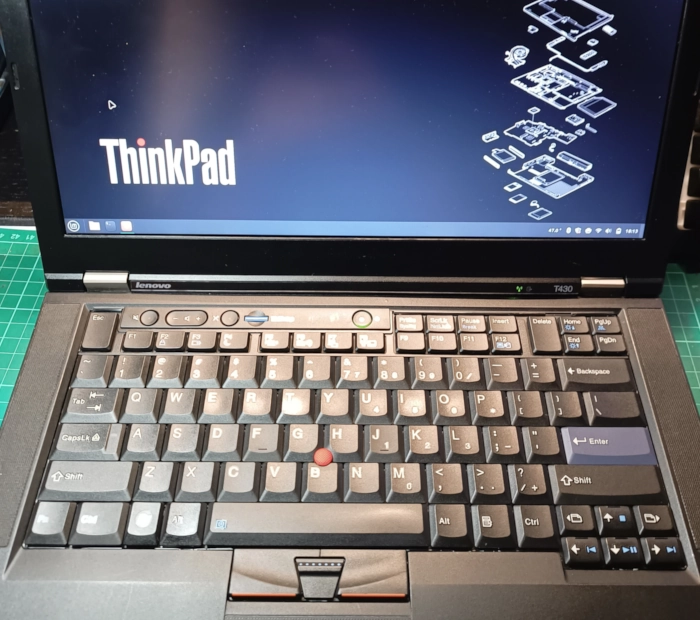
This is as far as I have got with the modding/refurbishment. In the future, I plan to upgrade the 130GB SSD to a 500GB drive and replace the screen with a 1080p IPS panel. I have also bought a ThinkPad X230 laptop that I plan to upgrade.
Thanks for reading. If you have any questions please feel free to contact me.